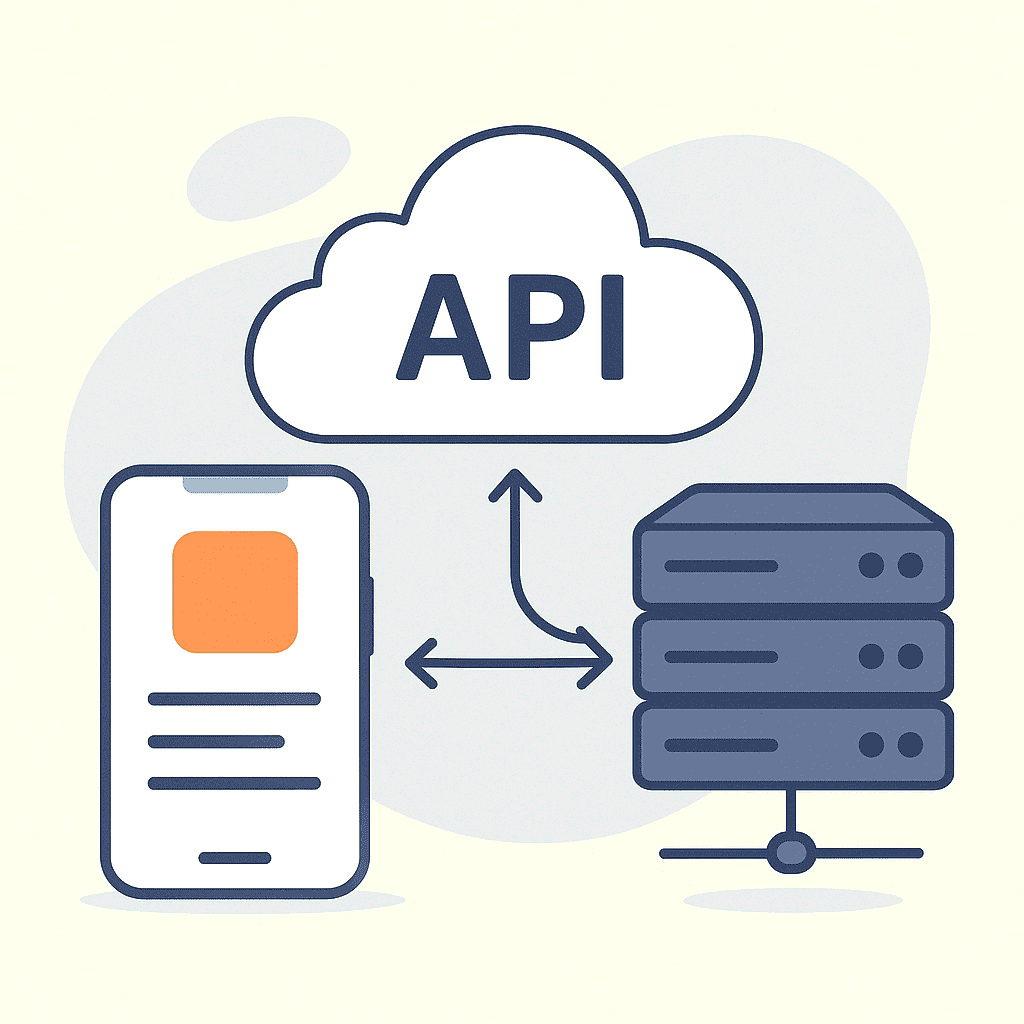
The MERN stack has become the gold standard for modern full-stack JavaScript development, powering applications from startups to Fortune 500 companies. This comprehensive guide will take you through every aspect of building production-ready MERN applications, from basic setup to advanced optimization techniques.
1. Introduction to MERN Stack
1.1 What is MERN Stack?
The MERN stack is a collection of four powerful technologies that work together to create modern web applications:
- MongoDB: A NoSQL database that stores data in JSON-like documents
- Express.js: A lightweight web framework for Node.js that simplifies server-side development
- React: A JavaScript library for building dynamic user interfaces
- Node.js: A JavaScript runtime that enables server-side JavaScript execution
This combination creates a unified JavaScript ecosystem that allows developers to use the same language across the entire application stack.
1.2 Why Choose MERN Stack?
The MERN stack offers several compelling advantages:
- Unified Language: JavaScript throughout the entire stack reduces context switching and learning overhead.
- JSON Integration: MongoDB’s document structure aligns perfectly with JavaScript objects, eliminating complex data transformations.
- Component-Based Architecture: React’s component system promotes reusable, maintainable code.
- Scalability: Each component can be scaled independently to handle growing user demands.
- Rich Ecosystem: Extensive npm packages and community support accelerate development.
- Performance: React’s virtual DOM and Node.js’s event-driven architecture deliver excellent performance.
1.3 Prerequisites and Tools
Before diving into MERN development, ensure you have:
Essential Knowledge:
- JavaScript fundamentals (ES6+)
- Understanding of asynchronous programming
- Basic HTML/CSS knowledge
- Command line familiarity
Required Tools:
- Node.js (version 18+)
- A code editor (VS Code recommended)
- Git for version control
- MongoDB (local installation or MongoDB Atlas)
2. Setting Up Development Environment
2.1 Installing Node.js and npm
Node.js installation is the first critical step:
# Visit nodejs.org and download the LTS version
# Verify installation
node --version
npm --version
2.2 Setting up MongoDB
You have two options for MongoDB setup:
Option 1: Local Installation
# Download from mongodb.com and follow installation instructions
# Start MongoDB service
mongod --dbpath /path/to/your/data/directory
Option 2: MongoDB Atlas (Recommended)
MongoDB Atlas provides a cloud-hosted solution that eliminates local setup complexity.
2.3 Code Editor Setup
Configure VS Code with essential extensions:
- ES7+ React/Redux/React-Native snippets
- MongoDB for VS Code
- Prettier – Code formatter
- ES Lint
- Bracket Pair Colorizer
2.4 Project Structure Overview
A well-organized MERN project follows this structure:
mern-project/
├── client/ # React frontend
├── server/ # Express backend
├── package.json # Root dependencies
└── README.md
3. MongoDB - Database Layer
3.1 MongoDB Fundamentals
MongoDB stores data in flexible, JSON-like documents called BSON. Unlike relational databases, MongoDB doesn’t require predefined schemas, making it ideal for agile development.
Key Concepts:
- Documents: Individual records stored as BSON
- Collections: Groups of related documents
- Fields: Key-value pairs within documents
3.2 Database Design and Schema Modeling
Effective schema design balances read/write performance with data consistency:
// User schema example
const userSchema = new mongoose.Schema({
name: {
type: String,
required: true,
trim: true
},
email: {
type: String,
required: true,
unique: true,
lowercase: true
},
password: {
type: String,
required: true,
minlength: 8
},
profile: {
avatar: String,
bio: String,
location: String
},
createdAt: {
type: Date,
default: Date.now
}
});
Design Patterns:
- Embedding: Store related data together for read optimization
- Referencing: Normalize data to avoid duplication
- Hybrid Approach: Combine both strategies based on access patterns
3.3 CRUD Operations
Implement efficient database operations using Mongoose:
// Create
const user = new User({
name: 'John Doe',
email: 'john@example.com',
password: hashedPassword
});
await user.save();
// Read
const users = await User.find({ active: true })
.select('name email')
.limit(10);
// Update
await User.findByIdAndUpdate(userId, {
$set: { lastLogin: new Date() }
});
// Delete
await User.findByIdAndDelete(userId);
3.4 Indexing and Performance
Strategic indexing dramatically improves query performance:
// Single field index
db.users.createIndex({ email: 1 });
// Compound index (follows ESR rule)
db.posts.createIndex({
userId: 1, // Equality
createdAt: -1, // Sort
category: 1 // Range
});
// Text index for search
db.posts.createIndex({
title: "text",
content: "text"
});
4. Express.js - Backend Framework
4.1 Express.js Setup and Configuration
Initialize your Express server with essential middleware:
const express = require('express');
const cors = require('cors');
const helmet = require('helmet');
const rateLimit = require('express-rate-limit');
require('dotenv').config();
const app = express();
// Security middleware
app.use(helmet());
app.use(cors());
// Rate limiting
const limiter = rateLimit({
windowMs: 15 * 60 * 1000, // 15 minutes
max: 100 // limit each IP to 100 requests per windowMs
});
app.use('/api/', limiter);
// Body parsing middleware
app.use(express.json({ limit: '10mb' }));
app.use(express.urlencoded({ extended: true }));
const PORT = process.env.PORT || 5000;
app.listen(PORT, () => {
console.log(`Server running on port ${PORT}`);
});
4.2 Middleware Implementation
Middleware functions execute during the request-response cycle:
// Custom logging middleware
const requestLogger = (req, res, next) => {
console.log(`${req.method} ${req.path} - ${new Date().toISOString()}`);
next();
};
// Authentication middleware
const authenticateToken = (req, res, next) => {
const authHeader = req.headers['authorization'];
const token = authHeader && authHeader.split(' ')[^2_1];
if (!token) {
return res.status(401).json({ message: 'Access token required' });
}
jwt.verify(token, process.env.JWT_SECRET, (err, user) => {
if (err) return res.status(403).json({ message: 'Invalid token' });
req.user = user;
next();
});
};
4.3 RESTful API Development
Design clean, predictable APIs following REST principles:
// User routes
app.get('/api/users', getAllUsers); // GET - Read all
app.get('/api/users/:id', getUserById); // GET - Read one
app.post('/api/users', createUser); // POST - Create
app.put('/api/users/:id', updateUser); // PUT - Update
app.delete('/api/users/:id', deleteUser); // DELETE - Remove
// Route handlers
const getAllUsers = async (req, res) => {
try {
const { page = 1, limit = 10, search } = req.query;
const query = search ?
{ name: { $regex: search, $options: 'i' } } : {};
const users = await User.find(query)
.select('-password')
.limit(limit * 1)
.skip((page - 1) * limit)
.sort({ createdAt: -1 });
const total = await User.countDocuments(query);
res.json({
users,
totalPages: Math.ceil(total / limit),
currentPage: page
});
} catch (error) {
res.status(500).json({ message: 'Server error', error: error.message });
}
};
4.4 Authentication and Authorization
Implement secure user authentication using JWT:
const bcrypt = require('bcryptjs');
const jwt = require('jsonwebtoken');
// Registration
const register = async (req, res) => {
try {
const { name, email, password } = req.body;
// Validation
if (!name || !email || !password) {
return res.status(400).json({ message: 'All fields required' });
}
// Check existing user
const existingUser = await User.findOne({ email });
if (existingUser) {
return res.status(400).json({ message: 'User already exists' });
}
// Hash password
const saltRounds = 12;
const hashedPassword = await bcrypt.hash(password, saltRounds);
// Create user
const user = new User({
name,
email,
password: hashedPassword
});
await user.save();
// Generate token
const token = jwt.sign(
{ userId: user._id },
process.env.JWT_SECRET,
{ expiresIn: '24h' }
);
res.status(201).json({
message: 'User created successfully',
token,
user: {
id: user._id,
name: user.name,
email: user.email
}
});
} catch (error) {
res.status(500).json({ message: 'Server error', error: error.message });
}
};

// Login
const login = async (req, res) => {
try {
const { email, password } = req.body;
// Find user
const user = await User.findOne({ email });
if (!user) {
return res.status(400).json({ message: 'Invalid credentials' });
}
// Verify password
const isMatch = await bcrypt.compare(password, user.password);
if (!isMatch) {
return res.status(400).json({ message: 'Invalid credentials' });
}
// Generate token
const token = jwt.sign(
{ userId: user._id },
process.env.JWT_SECRET,
{ expiresIn: '24h' }
);
res.json({
message: 'Login successful',
token,
user: {
id: user._id,
name: user.name,
email: user.email
}
});
} catch (error) {
res.status(500).json({ message: 'Server error', error: error.message });
}
};
4.5 Error Handling
Implement comprehensive error handling for robust applications:
// Global error handler
const errorHandler = (err, req, res, next) => {
console.error(err.stack);
// Mongoose validation error
if (err.name === 'ValidationError') {
const errors = Object.values(err.errors).map(e => e.message);
return res.status(400).json({ message: 'Validation Error', errors });
}
// MongoDB duplicate key error
if (err.code === 11000) {
const field = Object.keys(err.keyValue);
return res.status(400).json({
message: `${field} already exists`
});
}
// JWT errors
if (err.name === 'JsonWebTokenError') {
return res.status(401).json({ message: 'Invalid token' });
}
if (err.name === 'TokenExpiredError') {
return res.status(401).json({ message: 'Token expired' });
}
// Default error
res.status(500).json({
message: 'Internal server error',
...(process.env.NODE_ENV === 'development' && { error: err.message })
});
};
// Use error handler
app.use(errorHandler);
// 404 handler
app.use('*', (req, res) => {
res.status(404).json({ message: 'Route not found' });
});
2.
5. React.js - Frontend Library
5.1 React Fundamentals and Components
Create reusable components following modern React patterns:
// Functional component with hooks
import React, { useState, useEffect } from 'react';
const UserProfile = ({ userId }) => {
const [user, setUser] = useState(null);
const [loading, setLoading] = useState(true);
const [error, setError] = useState(null);
useEffect(() => {
const fetchUser = async () => {
try {
setLoading(true);
const response = await fetch(`/api/users/${userId}`);
if (!response.ok) throw new Error('Failed to fetch user');
const userData = await response.json();
setUser(userData);
} catch (err) {
setError(err.message);
} finally {
setLoading(false);
}
};
if (userId) {
fetchUser();
}
}, [userId]);
if (loading) return Loading...;
if (error) return Error: {error};
if (!user) return No user found;
return (
{user.name}
{user.email}
Member since: {new Date(user.createdAt).toLocaleDateString()}
);
};
export default UserProfile;
5.2 State Management (useState, useContext)
Implement efficient state management for different application scales:
Local State with useState:
const [count, setCount] = useState(0);
const [user, setUser] = useState({ name: '', email: '' });
// Update state //
const increment = () => setCount(prev => prev + 1);
const updateUser = (field, value) => setUser(prev => ({ ...prev, [field]: value }));
Global State with Context API:
// Create context
const AuthContext = createContext();
// Provider component
export const AuthProvider = ({ children }) => {
const [user, setUser] = useState(null);
const [loading, setLoading] = useState(true);
// Login function
const login = async (credentials) => {
try {
const response = await fetch('/api/auth/login', {
method: 'POST',
headers: { 'Content-Type': 'application/json' },
body: JSON.stringify(credentials)
});
const data = await response.json();
if (response.ok) {
setUser(data.user);
localStorage.setItem('token', data.token);
return { success: true };
} else {
return { success: false, error: data.message };
}
} catch (error) {
return { success: false, error: error.message };
}
};
// Logout function
const logout = () => {
setUser(null);
localStorage.removeItem('token');
};
const value = {
user,
loading,
login,
logout
};
return (
{children}
);
};
// Custom hook
export const useAuth = () => {
const context = useContext(AuthContext);
if (!context) {
throw new Error('useAuth must be used within AuthProvider');
}
return context;
};
// Usage in component
const LoginForm = () => {
const { login } = useAuth();
const [credentials, setCredentials] = useState({ email: '', password: '' });
const handleSubmit = async (e) => {
e.preventDefault();
const result = await login(credentials);
if (!result.success) {
alert(result.error);
}
};
return (
);
};
2.
5.3 Component Architecture
Organize components following scalable patterns:
src/
├── components/
│ ├── common/ # Reusable UI components
│ │ ├── Button.jsx
│ │ ├── Modal.jsx
│ │ └── Spinner.jsx
│ ├── forms/ # Form-specific components
│ │ ├── LoginForm.jsx
│ │ └── UserForm.jsx
│ └── layout/ # Layout components
│ ├── Header.jsx
│ ├── Footer.jsx
│ └── Sidebar.jsx
├── pages/ # Page-level components
│ ├── Home.jsx
│ ├── Dashboard.jsx
│ └── Profile.jsx
├── hooks/ # Custom hooks
│ ├── useAuth.js
│ ├── useApi.js
│ └── useLocalStorage.js
├── context/ # React contexts
│ ├── AuthContext.js
│ └── ThemeContext.js
├── utils/ # Utility functions
│ ├── api.js
│ ├── validation.js
│ └── formatters.js
└── styles/ # CSS/styling files
├── globals.css
└── components.css
5.4 Routing with React Router
Implement navigation and protected routes:
import { BrowserRouter, Routes, Route, Navigate } from 'react-router-dom';
import { useAuth } from './context/AuthContext';
// Protected route component
const ProtectedRoute = ({ children }) => {
const { user, loading } = useAuth();
if (loading) return Loading...;
return user ? children : ;
};
// Main app routing
const App = () => {
return (
} />
} />
} />
}
/>
}
/>
} />
);
};
5.5 Forms and Event Handling
Create robust forms with validation and error handling:
import { useState } from 'react';
const ContactForm = () => {
const [formData, setFormData] = useState({
name: '',
email: '',
message: '' });
const [errors, setErrors] = useState({});
const [loading, setLoading] = useState(false);
// Validation function
const validateForm = () => {
const newErrors = {};
if (!formData.name.trim()) {
newErrors.name = 'Name is required';
}
if (!formData.email.trim()) {
newErrors.email = 'Email is required';
} else if (!/\S+@\S+\.\S+/.test(formData.email)) {
newErrors.email = 'Email is invalid';
}
if (!formData.message.trim()) {
newErrors.message = 'Message is required';
}
return newErrors;
};
// Handle input changes
const handleChange = (e) => {
const { name, value } = e.target;
setFormData(prev => ({
...prev,
[name]: value
}));
// Clear error when user starts typing
if (errors[name]) {
setErrors(prev => ({
...prev,
[name]: ''
}));
}
};
// Handle form submission
const handleSubmit = async (e) => {
e.preventDefault();
const formErrors = validateForm();
if (Object.keys(formErrors).length > 0) {
setErrors(formErrors);
return;
}
setLoading(true);
try {
const response = await fetch('/api/contact', {
method: 'POST',
headers: {
'Content-Type': 'application/json',
},
body: JSON.stringify(formData)
});
if (response.ok) {
alert('Message sent successfully!');
setFormData({ name: '', email: '', message: '' });
} else {
throw new Error('Failed to send message');
}
} catch (error) {
alert('Error sending message. Please try again.');
} finally {
setLoading(false);
}
};
return (
);
};
Table of Contents
Interesting Posts


Styling Text in CSS

CSS Selectors

The World of CSS Colors

CSS Basics

More HTML
Ghulam Ahmad is an Excellent Writer, His magical words added value in growth of our life. Highly Recommended
- Irfan Ahmad Tweet


2 Responses
Can you be more specific about the content of your article? After reading it, I still have some doubts. Hope you can help me.